Full Specifications
Upgrade Worth It?Network
| Technology | GSM |
| 2G bands | GSM 900 / 1800 |
| 3G bands | No |
| Speed | GPRS |
| 4G bands | No |
| 5G bands | No |
| GPRS | Yes |
Launch
| Announced | Unknown |
| Status | Available |
Body
| Other | Dedicated camera and music control keys, Torch light |
| SIM | Dual SIM (Mini-SIM, dual stand-by) |
Display
| Type | QQVGA |
| Resolution | 128 x 160 pixels |
| Size | 1.77 inches |
Hardware & Software
| OS | Feature phone OS |
Memory & Storage
| Card slot | microSDHC (dedicated slot), up to 16 GB |
Main Camera
| Single | Digital camera |
| Video | Yes |
Selfie Camera
| Single | No |
Sound
| Other | FM radio with recording, MP3/MP4/3GP player |
| Loudspeaker | Yes |
Connectivity
| WLAN | No |
| USB | microUSB |
| Radio | FM radio |
| NFC | No |
| Bluetooth | Yes |
Features
| Messaging | SMS |
| Browser | WAP |
| Other | Blacklist, Whitelist, Facebook & Internet access, Sound recorder, Video recorder |
Battery
| Charging | Wired |
| Type | Li-Ion 1000 mAh, removable |
Community Discussions
(0)No Discussions Yet
Be the first to ask a question, share a review, or give advice about the Walton Olvio L30.
Start a DiscussionFrequently Asked Questions
Description
Overview & Display
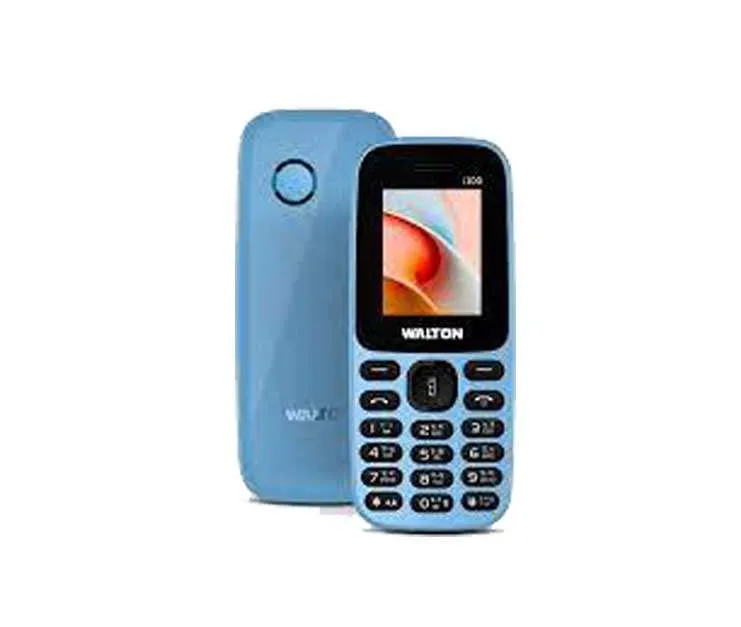
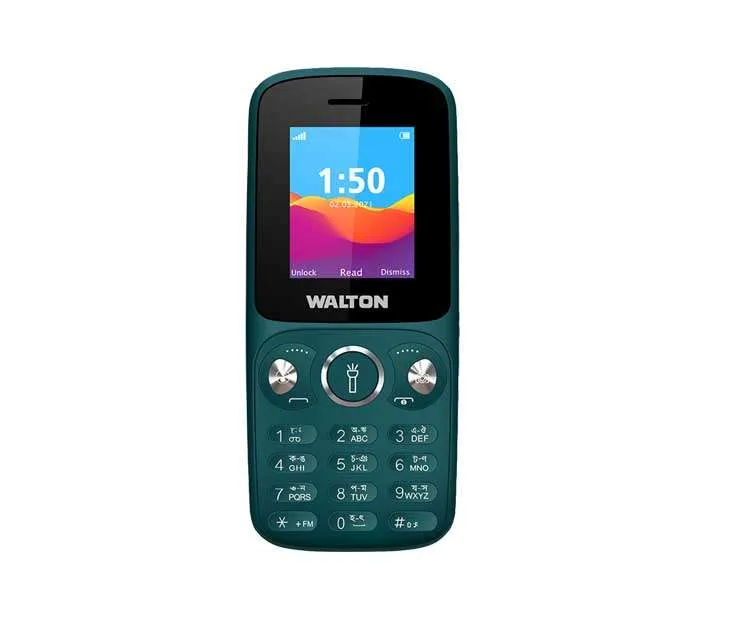
The Walton Olvio L30 presents a compact and straightforward design, featuring dedicated keys for camera and music control, alongside a convenient torch light. Its dual SIM capability allows for managing two numbers on a single device, offering flexibility for personal and professional use. The 1.77-inch QQVGA display, with a resolution of 128 x 160 pixels, provides a basic screen experience, suitable for simple tasks and viewing essential information. While multimedia experiences will be limited by the display's resolution, the inclusion of an MP3/MP4/3GP player suggests some entertainment functionality is available.
Powered by a feature phone OS, the Walton Olvio L30 prioritizes essential functionality. Storage options are expandable up to 16 GB via a microSDHC card slot, allowing for a decent amount of media storage. The device supports SMS messaging and WAP browsing, indicating a focus on core communication features. Although the specifications don't detail processor speed or RAM, the device appears geared towards simple daily multitasking like accessing Facebook and using the sound recorder, rather than demanding applications. It also includes a blacklist and whitelist for managing contacts.
Camera & Battery
The Walton Olvio L30 features a digital camera on the rear, enabling photo capture. While the specifications don't detail resolution or advanced features, video recording capabilities are present, allowing users to record short video clips. Notably, there is no front-facing camera, so selfies are not supported. The inclusion of an FM radio with recording capability provides an alternative entertainment option, and the loudspeaker ensures audio can be heard clearly.
A removable 1000 mAh Li-Ion battery fuels the Walton Olvio L30, promising a reasonable battery life for a device focused on basic functionality. Wired charging is supported. Considering the limited feature set and the absence of power-intensive components like a high-resolution display or advanced connectivity, the battery should comfortably last through a day of typical usage—primarily calls, messaging, and radio listening. The ability to remove the battery is a practical feature for users who frequently travel or want a spare on hand.
Who Should Buy This
The Walton Olvio L30 is ideally suited for users seeking a simple, reliable, and affordable device for essential communication. It’s a good choice for those who prioritize calls, texts, and basic entertainment like FM radio over advanced smartphone features. Individuals needing a secondary phone for occasional use, or those who prefer a compact and easy-to-use device, might find the Walton Olvio L30 appealing. However, users expecting a modern smartphone experience with high-speed internet, advanced apps, or a high-quality camera will likely want to consider alternative options.
Pros
- Dual SIM functionality for managing two numbers.
- Expandable storage up to 16 GB via microSDHC.
- Dedicated camera and music control keys.
- FM radio with recording capability.
- Removable 1000 mAh battery.
Cons
- Limited display resolution (128 x 160 pixels).
- No 4G or 5G network support.
- Lacks advanced camera features.
- No front-facing camera for selfies.
Verdict
Overall, the Walton Olvio L30 delivers a no-frills experience focused on core communication features. Its strengths lie in its simplicity, dual SIM capability, and decent battery life. However, the limitations of its display, network connectivity, and camera are significant. The Walton Olvio L30 is best viewed as a basic phone for users with modest needs and a preference for uncomplicated technology. It represents a functional choice for those seeking a reliable and affordable device for essential tasks.
Write a Review
Upgrade Worth It?
Using an older phone?
Compare your current device with Walton Olvio L30 to analyze performance gains and price difference.
Camera Samples
No camera samples available.